



Stay informed with news, updates, and best practices on the ParentSquare blog.
Explore
Core Platform

Solutions for every role in your school community
Built for every type of school and district
See how we solve real challenges facing schools
Insights and ideas that add value to districts
A centralized hub for expert help and guidance


A school district’s business office collects money from plenty of people who aren’t parents.
A community theater group might rent the school performing arts center for their spring show, while a local business pays to advertise in the high school yearbook. Districts also collect course fees from adult education participants who may have no other connection to their schools.
These are ordinary district transactions, but the people paying aren’t necessarily in the student information system (SIS), and they may never have used ParentSquare. That can leave business office staff managing invoices and payments outside the platform they already use for school fees.
New invoicing enhancements in ParentSquare Pay allow districts to collect facility rental fees, invoice adult education participants and staff, and manage more of their payment collection within the platform they already use for school fees.
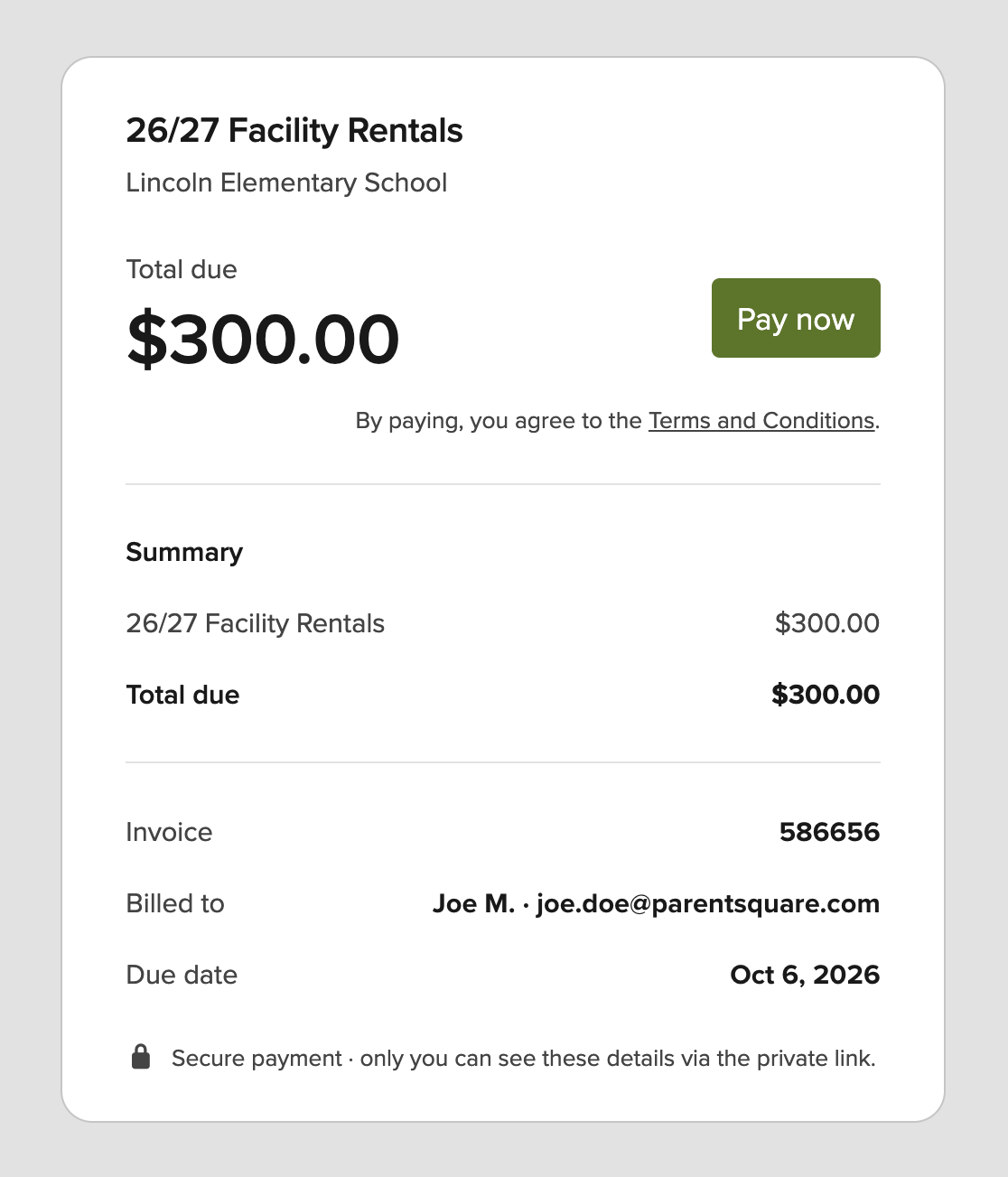
Take the example of a youth basketball league reserving a school gym for weekend practices. The district has approved the rental, and now it’s time to collect the fee.
The league organizer isn’t a district parent. There’s no student record to look up and no reason to ask them to create a ParentSquare account just to pay an invoice.
With community invoicing in ParentSquare Pay, the business office can create an invoice and email a payment link directly to the organizer. They open the link and pay, no ParentSquare account required.
District staff can manage the rental invoice alongside their existing school fees in ParentSquare Pay, rather than switching to another system to bill someone who isn’t a parent.
Facility rentals are a natural fit for community invoicing, but they’re not the only situation. Consider a district offering evening adult education courses. Participants may be returning to the classroom for the first time in years, and many have no connection to a currently enrolled student. The district still needs to collect course fees, but a separate invoicing process shouldn’t be required to do it.
The same goes for a local business sponsoring a fall school event or purchasing advertising space in the school newspaper. District offices also collect fees for services provided to community members and payments from people whose connection to the school system goes back years. Community invoicing gives staff a way to handle all of these payments in ParentSquare Pay without requiring the recipient to have an account.
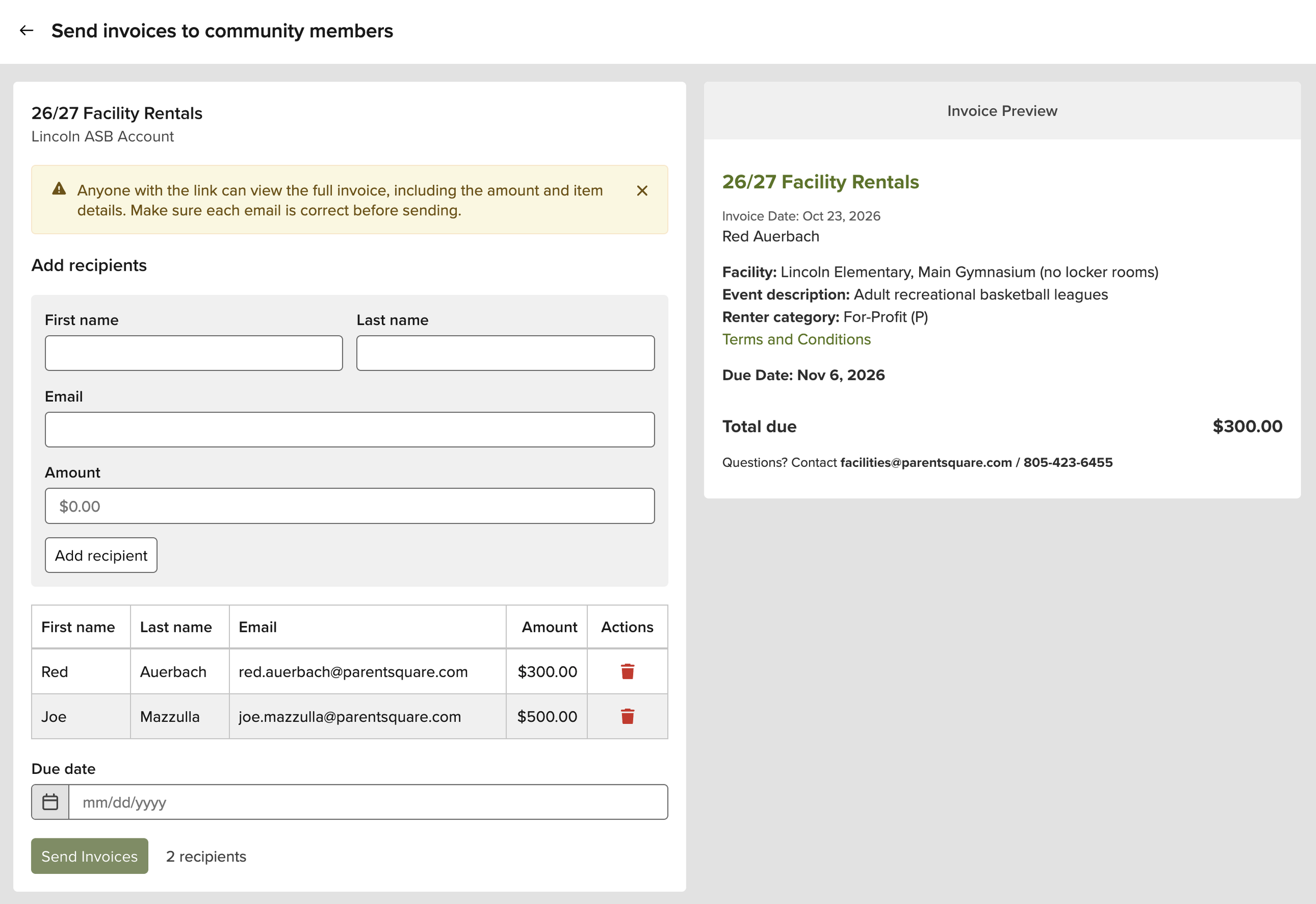
And not every invoice is for someone outside the district. Employees may owe fees associated with professional development or other district activities. With the addition of staff invoicing, those payments can now be handled in Pay as well. Staff can access their invoices through the ParentSquare web experience.

Not every invoicing challenge involves someone outside ParentSquare. For fees associated with a class, club, or grade level, assembling the right list of students to bill can create extra work.
Previously, staff might have needed to select students individually or request an export from the student information system (SIS). Now, ParentSquare Pay allows them to select groups that already exist in ParentSquare and create invoices for those students together.
Meanwhile, families can continue to find and pay their fees within ParentSquare, without navigating a separate payment system.
For higher-cost programs, districts can offer weekly or monthly installments rather than requiring the full amount upfront. Staff can also apply credits or waivers directly to invoices when adjustments are needed.
Whether you’re billing a community organization for facility use or collecting fees from an entire grade, all of these invoicing enhancements are now available to ParentSquare Pay customers.