



Stay informed with news, updates, and best practices on the ParentSquare blog.
Explore
Core Platform

Solutions for every role in your school community
Built for every type of school and district
See how we solve real challenges facing schools
Insights and ideas that add value to districts
A centralized hub for expert help and guidance


The start of a new school year sets the tone for family engagement all year long. Early, positive engagement helps establish the expectations you want families to carry through the rest of the year. That’s where ParentSquare Intelligence comes in.
ParentSquare Intelligence is purpose-built AI designed to help schools and districts communicate more effectively to deepen engagement. Every feature is optional, off by default, and enabled at the district level so you’re always in control of what you turn on. When enabled, ParentSquare Intelligence features analyze communication, engagement, and attendance to surface actionable insights and recommended next steps, right within the workflows you already use every day.
Read on to learn about the ParentSquare Intelligence features and see which are the right fit for your district to enable for the year ahead.
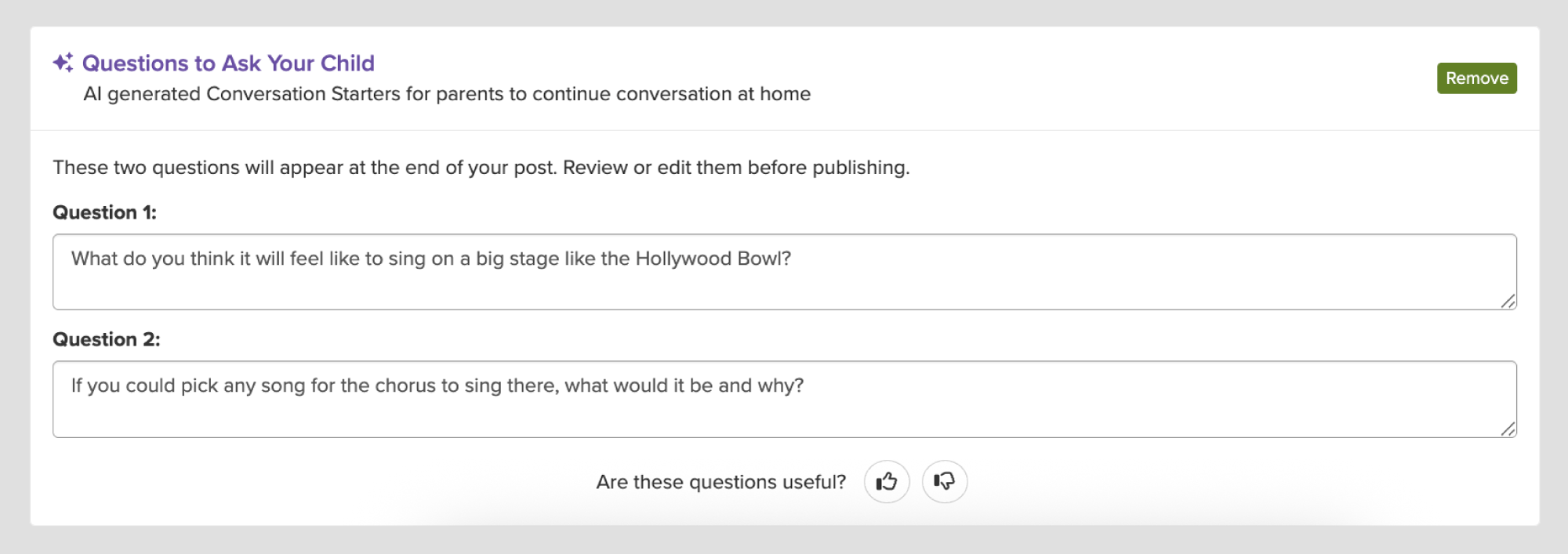
Conversation Starters help families connect with what’s happening in the classroom by automatically suggesting relevant discussion questions based on the content of the post. When creating a post, authors simply select Add ‘Ask your child’ questions to generate suggested questions. These generated questions can be edited as needed before sharing the post with families. This gives families an easy, meaningful way to talk with their students about what’s actually happening in class, deepening engagement between families and the classroom.
To enable, select Posts: Conversation Starters under AI Features in Add-ons.
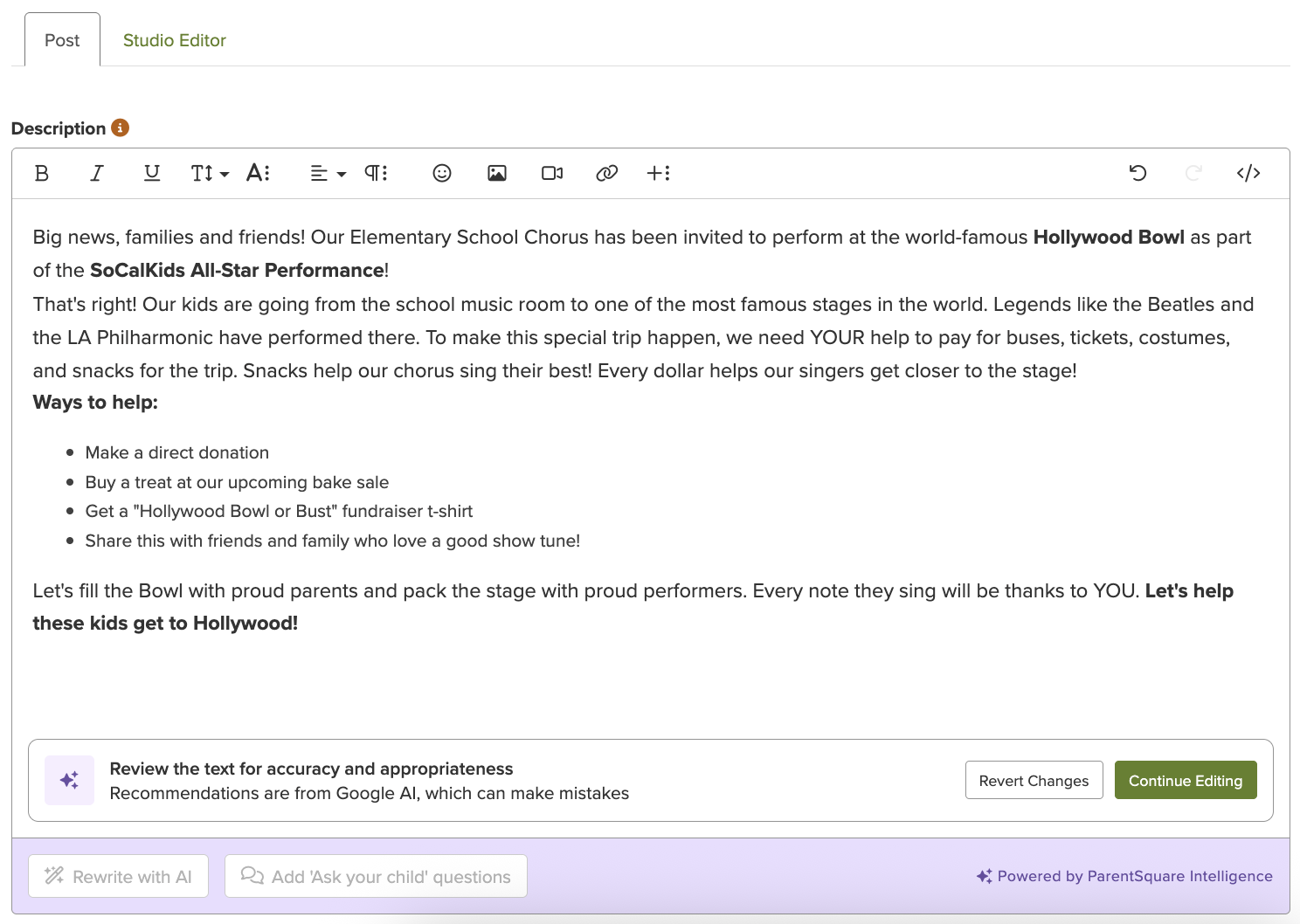
ParentSquare’s AI-powered rewrite tool helps staff quickly turn a draft into a clear, easy-to-translate post for English and multilingual families. When creating a post, authors can select Rewrite with AI to see suggested edits. Post authors can accept, adjust, or remove any suggestion before it’s shared. This saves time while improving clarity, quality, and staff confidence in what they send.
To enable, select Posts: Rewrite with AI under AI Features in Add-ons.
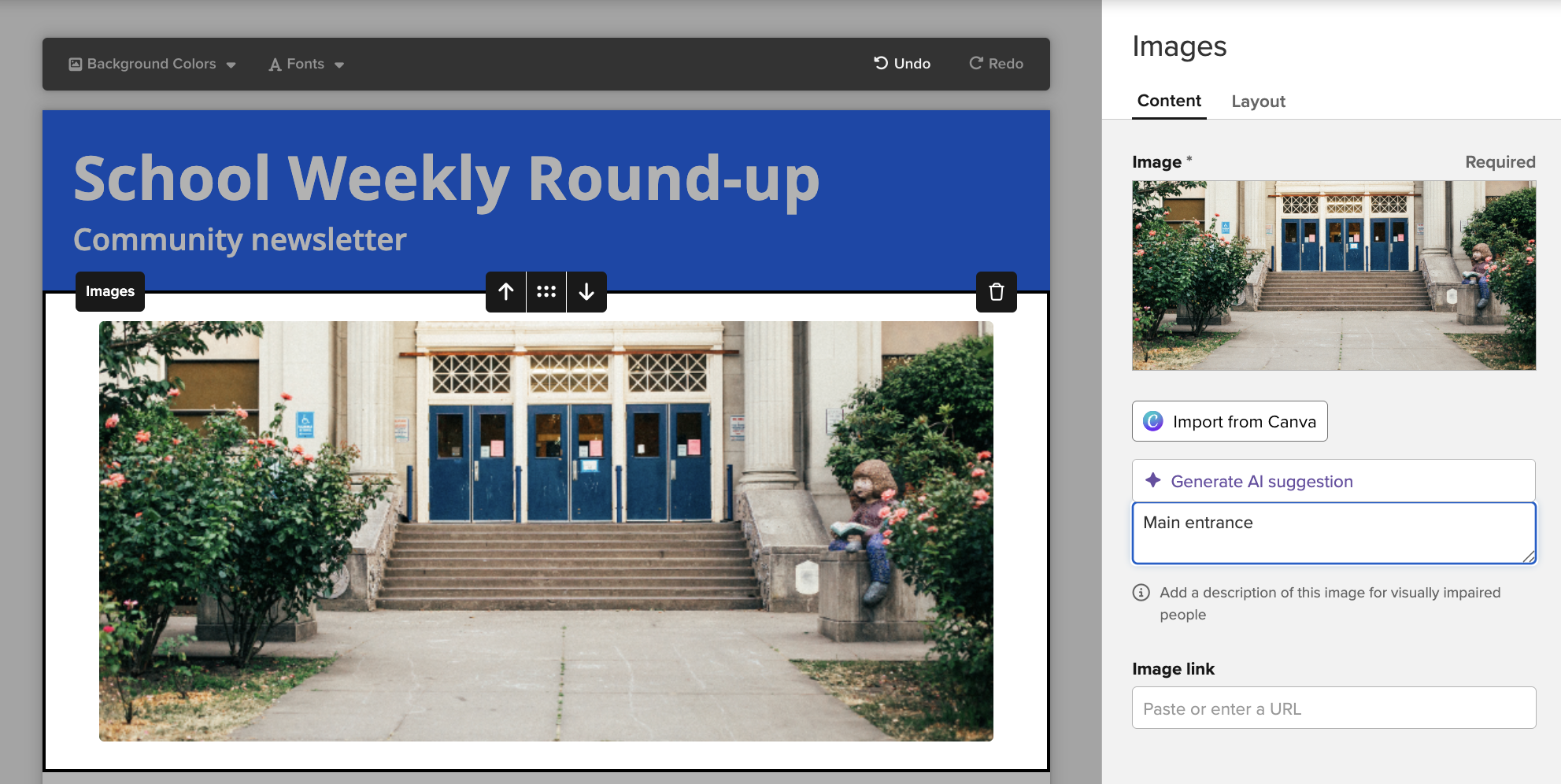
AI Alt Text generates clear, descriptive text for images added to Posts in Studio Editor and components in Smart Sites. This reduces routine work and improves accessibility for families, with minimal effort required from staff. AI Alt Text can be enabled for Studio Editor and Smart Sites. In Studio Editor, post authors can upload an image to a post and click Generate AI suggestion to add the alt text. In Smart Sites, alt text is generated automatically as soon as an image is added to a component with no extra steps needed.
To enable, select Posts: AI alt text for images and Smart Sites: AI alt text for images under AI Features in Add-ons.
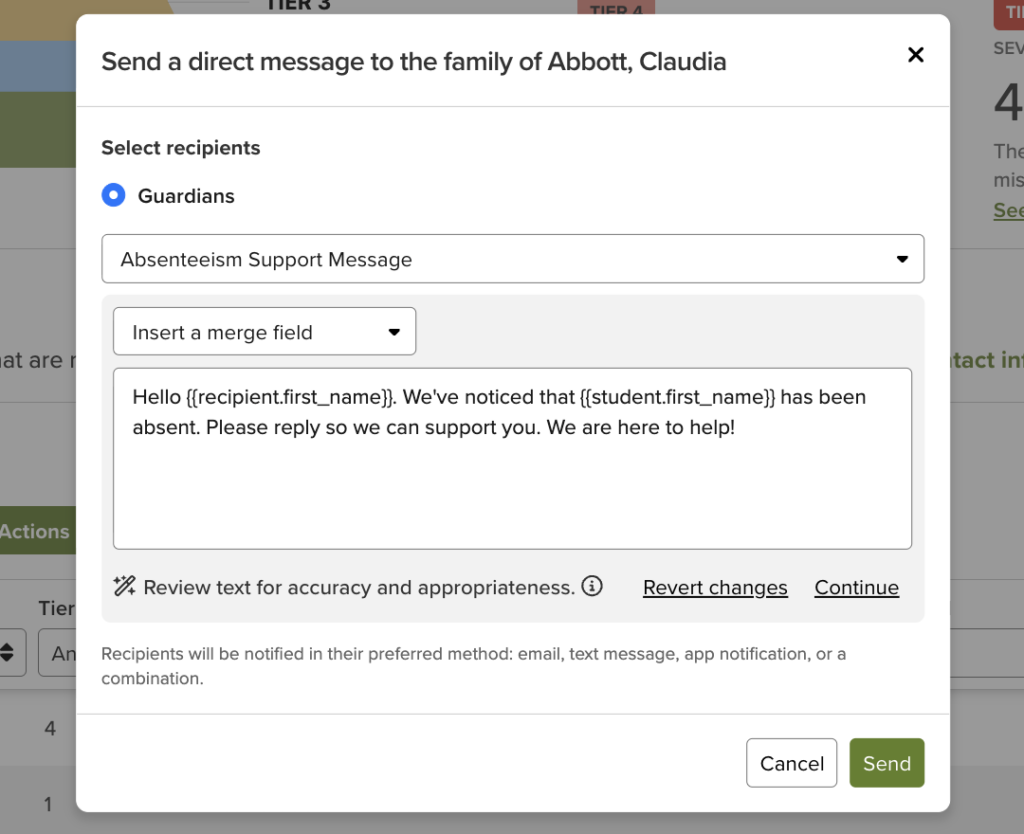
AI Rewrite helps attendance team members draft clearer, more accessible messages about attendance within the message composer without adding extra time to their workflow. When creating a message in ParentSquare Attendance Plus, attendance team members can click Rewrite with AI to generate revisions. Attendance team members can accept, adjust, or remove any suggestion before it’s shared with a parent or guardian.
To enable, select Attendance Plus: Rewrite with AI under AI Features in Add-ons.
Content Moderation is coming soon to ParentSquare Direct Messages. Content Moderation helps districts identify and manage potentially inappropriate Direct Messages before they are delivered. Administrators with Content Moderation permissions can view a log of all blocked or in-review messages to determine next steps, giving districts oversight to help maintain appropriate and professional communication throughout the school community.
Whether you’re already using ParentSquare or exploring it for your district, ParentSquare Intelligence can help you start the school year strong with communication tools that put you in control. Book a demo below to see these features in action.