



Stay informed with news, updates, and best practices on the ParentSquare blog.
Explore
Core Platform

Solutions for every role in your school community
Built for every type of school and district
See how we solve real challenges facing schools
Insights and ideas that add value to districts
A centralized hub for expert help and guidance


The marching band needs new uniforms, the cheer squad is collecting camp fees, and the robotics team needs a hotel block for regionals. All of these programs run partly on money collected by parent volunteers.
More students are taking part in extracurricular activities than ever. High school sports participation alone reached an all-time high of more than 8.2 million, the third straight year of growth, and that number doesn’t count band, cheer, theater, or clubs.
Behind almost every one of those programs is a group of volunteers collecting money. Booster clubs, PTAs and PTOs, band parents, and team parents handle registration fees, spirit wear orders, banquet tickets, equipment funds, and donations. Most of them do it with a personal payment app, a cash box, and a spreadsheet, but there’s a bigger opportunity hiding in this setup.
The people who want to support a school program reach well beyond the parents and guardians listed in your student information system (SIS). Grandparents are in the stands at every game, aunts and uncles come to the spring concert, alumni still wear the jersey, and neighbors have watched the marching band come down the same street for 20 years. Most schools have no way to reach any of them, and no way to accept a contribution when one is offered.
This blog provides you with a practical framework for running volunteer-led collections that includes your whole community.
What’s in this post:
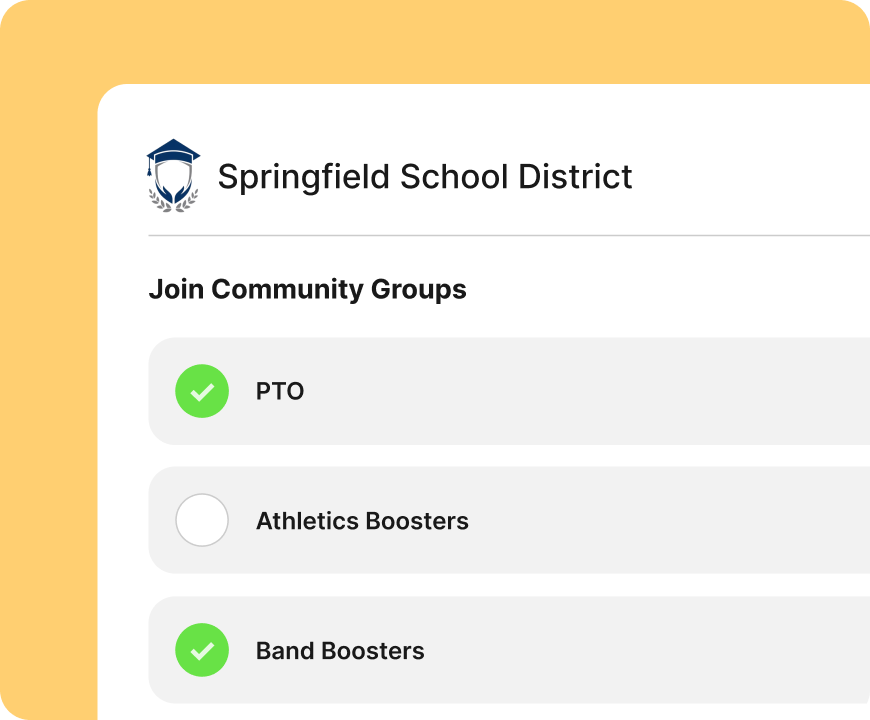
Your SIS knows parents and guardians. What it doesn’t know is the grandmother who drives to every away game, the uncle who sponsors an outfield banner, or the graduate who wants to give back to the program that shaped them.
ParentSquare Community Groups gives those supporters a way in. Districts create groups for audiences inside and outside the school community, including PTAs and PTOs, athletics and booster clubs, after-school programs, clubs, volunteers, and alumni. Community members sign up for the groups relevant to them on one shareable page, no SIS record required.
For a booster club, easy signup means the roster builds itself. Share the join link in a newsletter, on your website’s athletics and activity pages, on a flyer at the concession stand, or as a QR code on the back of the program. Anyone who wants updates can join in a few seconds, and group membership stays current without a volunteer maintaining a contact list by hand.
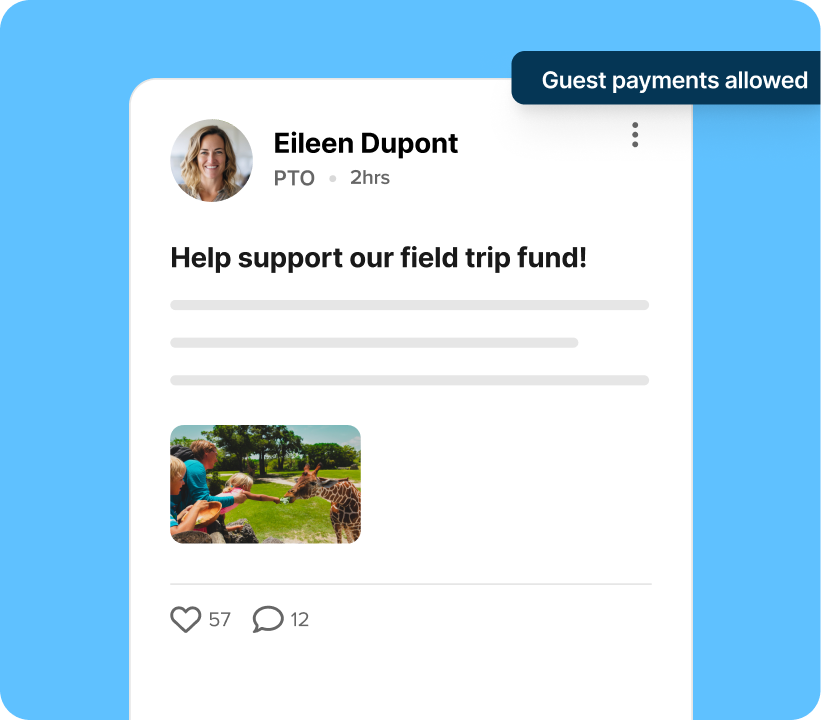
A payment post in ParentSquare Pay can be opened to guests, allowing them to contribute without a ParentSquare account. The grandparent, the alum, and the neighbor all pay from the same link that parents and guardians receive.
This single change replaces many workarounds. No one has to hand out a volunteer’s personal payment app username or explain why the band fund lives in an account with someone’s first name on it. Families can pay by credit or debit card, and supporters outside the school community can do the same.
One thing to plan for: a guest contribution isn’t tied to a student record, since guests aren’t in your SIS. For a band equipment fund or an alumni drive, that’s usually not a concern. If you need to know which student a payment belongs to, however, skip the guest payments checkbox when you’re creating your request and send it only to registered ParentSquare users.
Parent Booster USA, the national organization that supports school booster clubs, recommends a set of financial practices it calls the rule of two: two unrelated people to count cash on site and sign the tally sheet; two authorized signers on every check; and a second person who reviews the bank statement within 30 days.
Those practices exist for a reason. The National Federation of State High School Associations documents dozens of booster club embezzlement cases each year, with losses running from a few thousand dollars to more than $800,000.
But the better argument for good records isn’t the rare bad outcome: it’s making sure that your organization’s entire financial setup doesn’t rely on a single individual. When collections run through one person’s phone and one person’s bank account, that person effectively becomes a single point of failure, from knowing where everything stands to providing timely reports to handing off the role to a successor.
Moving collections online can help handle a good portion of the rule of two on its own:
The club still owns the rest, including approving budgets, rotating officers, and reviewing reports on a schedule. A platform doesn’t replace good governance, but it does minimize the functions that depend on a single person.
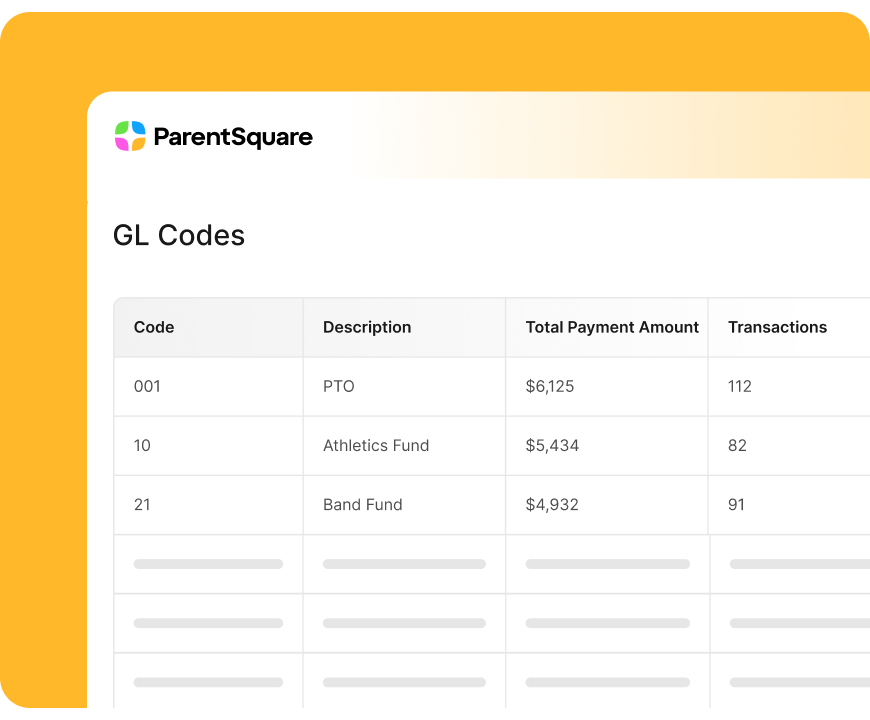
Volunteer-led collections eventually land on someone’s desk in the business office. When money arrives as a stack of checks and a handwritten total, that person spends hours matching deposits to programs.
ParentSquare Pay routes collections to the payment account the post is set up with, and administrators can assign general ledger codes so revenue lands in the right category from the start. District-level reporting shows payments for every school, so no one has to log in to each site to piece together a picture.
Most schools don’t have a payments problem or a communications problem. Instead, what they often have is a fragmentation problem.
The coach might run the team on a group text, while the band director uses a separate app and the booster club has a Facebook group. Payments are processed somewhere else entirely, and families juggle all of their to-dos and messages while trying to remember which app the away-game schedule was posted in.
Putting the group, the updates, and the payment in one place helps you avoid the seams where processes usually fall apart. A booster club can post a spirit wear order form with a payment request attached, and an activity leader can send a schedule change to the same group that just paid for the trip.
Along with streamlining things for organizers, this helps families, too. When updates and payments live together, a supporter who reads about the equipment fund can take action right away instead of hunting for a link later. And everyone sees it in the language they prefer, on the device they already use.
For more on bringing athletics communication together, read our guide to K-12 athletics communication practices.
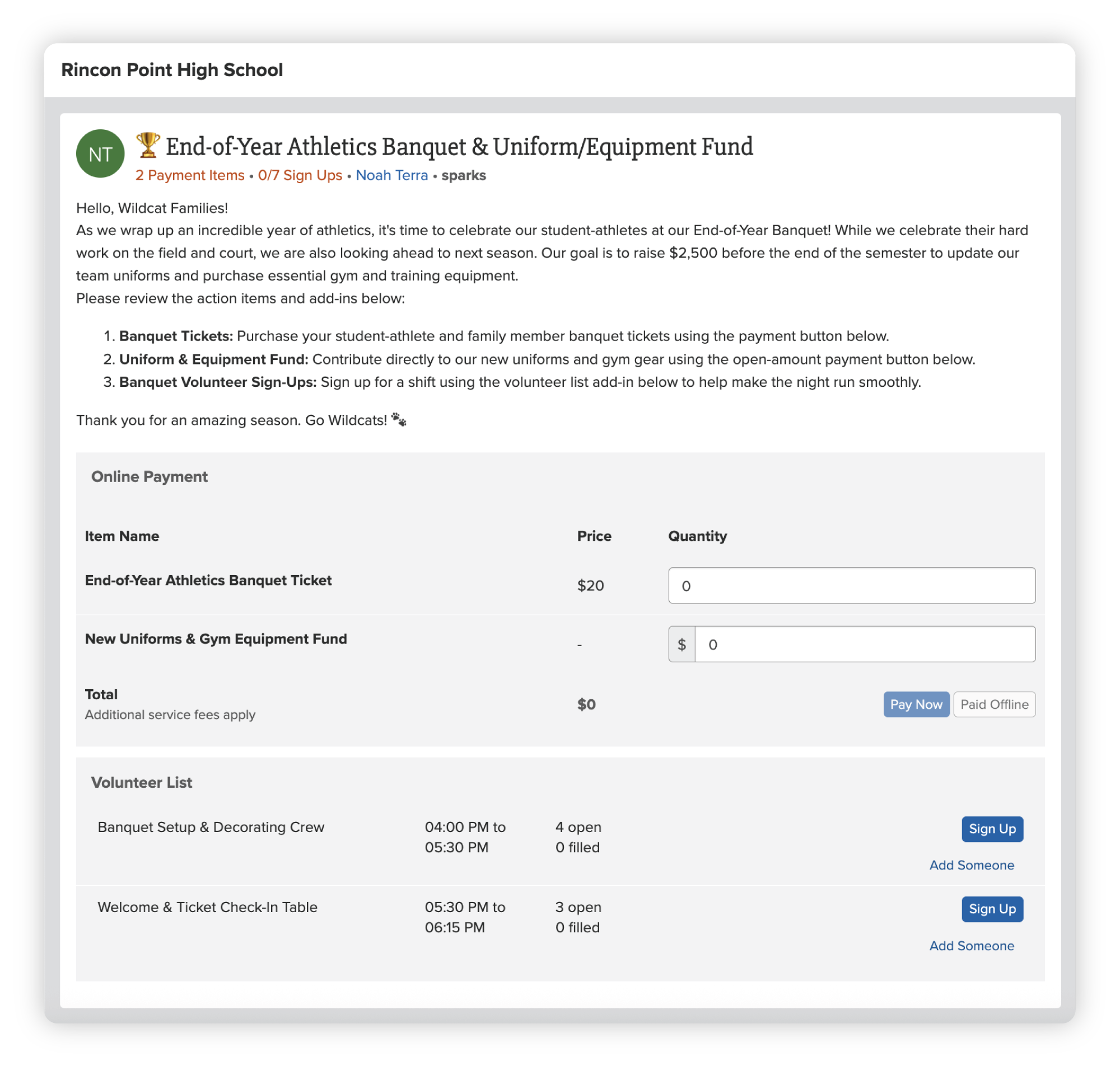
ParentSquare Community Groups and Pay give parent-led groups a roster, a way to communicate, and a way to collect, without adding another app for families to manage. If your district already uses ParentSquare, talk with your customer success manager about adding Community Groups and Pay for your booster clubs and parent organizations. If you’re new to ParentSquare, request a demo to see how it works.