


Most districts invest significant resources into the initial distribution of devices. The logistics can be complex: purchasing, imaging, scheduling pickups, collecting agreements, communicating expectations. But once devices are in students’ hands, the work doesn’t stop. Families have questions, devices break, insurance fees need to be collected, and expectations around responsible use need to be reinforced, and device refresh cycles need to be communicated clearly. All of this needs to happen consistently across every school and grade level in the district.
The districts that sustain successful 1:1 programs treat communication and family engagement as core infrastructure, not an afterthought. They build systems that keep families informed, make it easy to get help, and reduce the operational burden on IT and school staff.
Here is a practical framework for making that happen.
In this post:
1. Consistent communication
2. Structured family support
3. Clear financial processes
4. Communication that reaches everyone
5. Streamlined operations
The systems behind successful 1:1 programs
Successful device programs share a common foundation. Before diving into the specifics, here are the five systems that hold everything together.
- Consistent Communication: Keep families informed year-round with clear expectations and timely updates.
- Structured Family Support: Make it easy to report issues, access help, and reduce support burden.
- Clear Financial Processes: Simplify insurance, repairs, and device-related fees with transparent workflows.
- Communication That Reaches Everyone: Enable communication between schools, families, and students from one platform.
- Streamlined Operations: Align forms, scheduling, and internal workflows across teams.
Here is what each of these looks like in practice.
1. Consistent communication
Families need one clear place to find everything related to the device program. Not a scattered collection of emails, PDFs, and website links, but a single source of truth that they can return to throughout the year.
Create a central hub
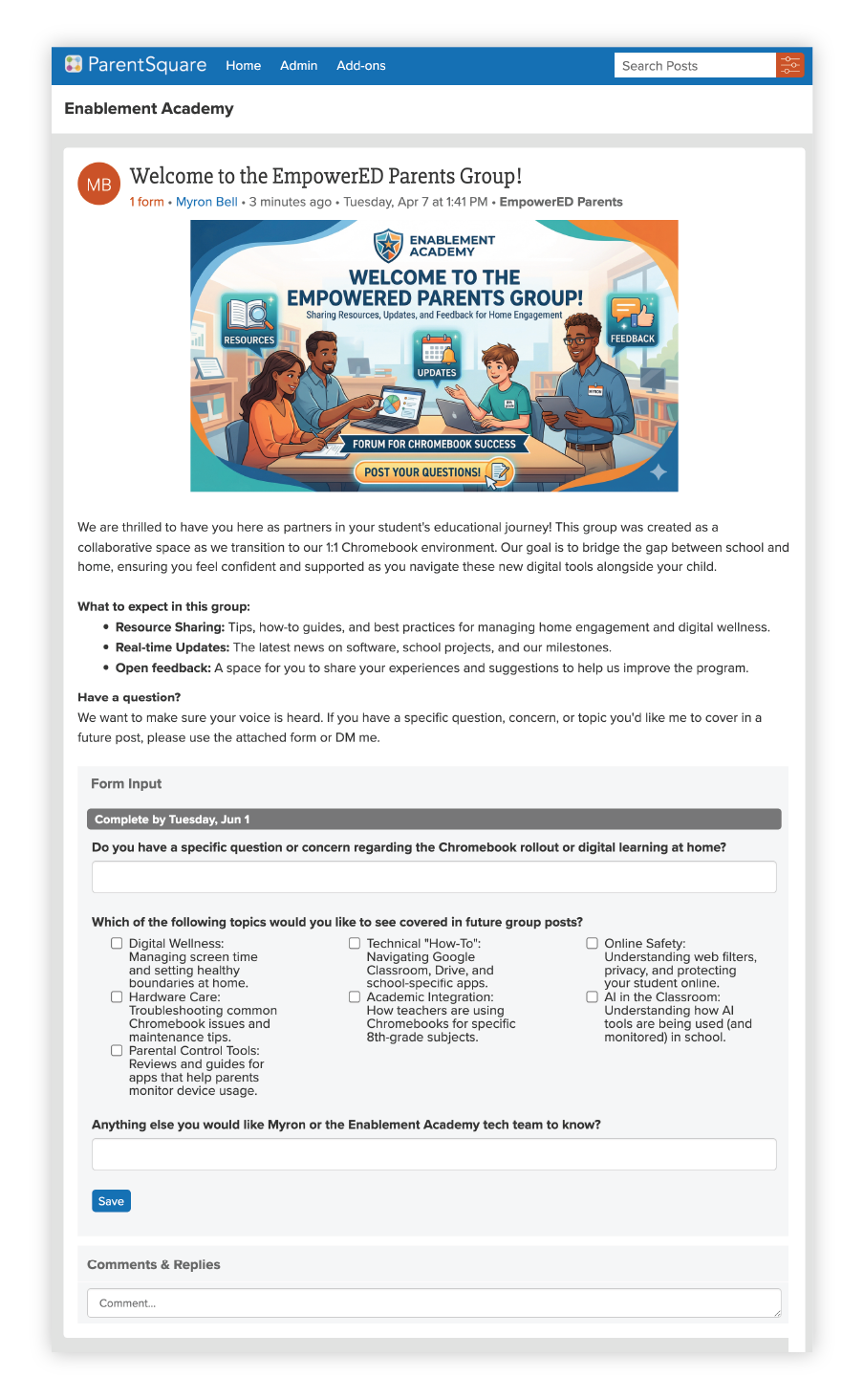
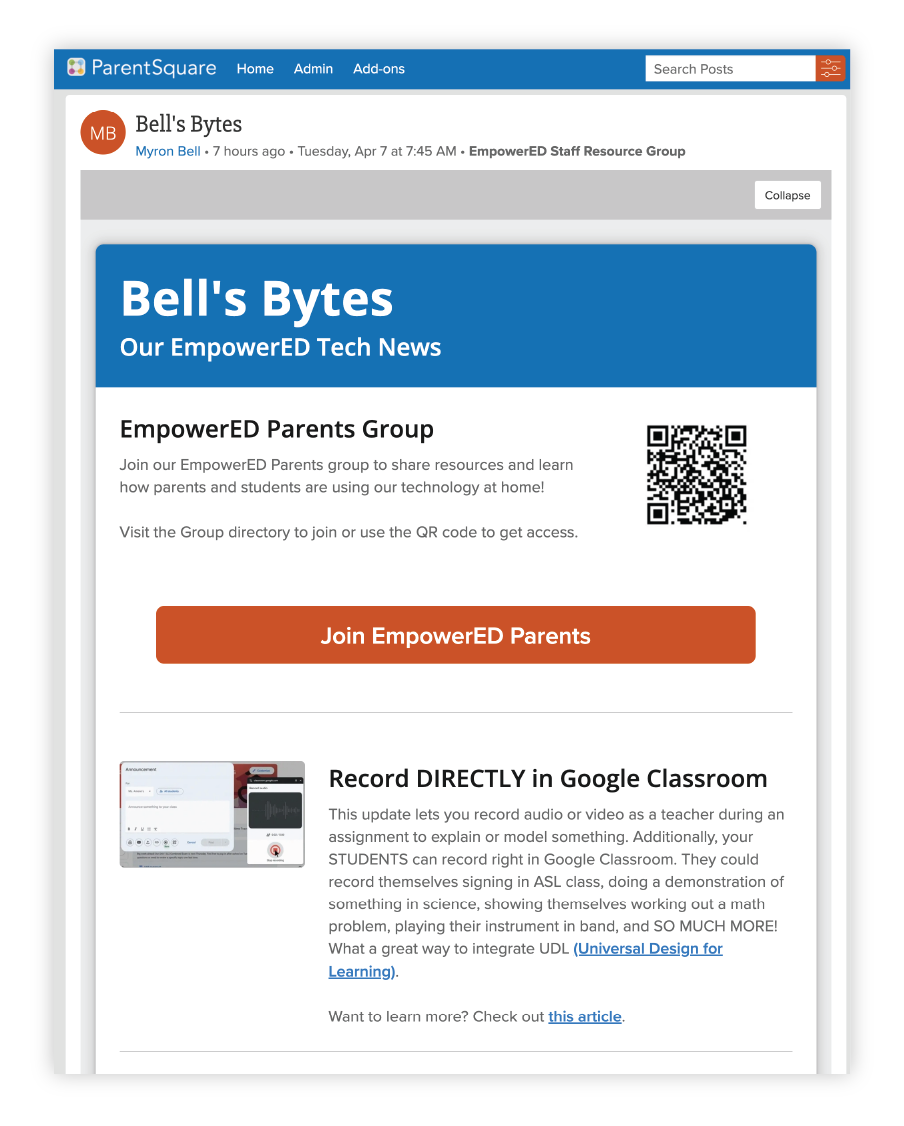
A dedicated ParentSquare Group for your 1:1 program gives families a space to access resources, get updates, and ask questions. You can create groups by grade level to target communication based on where each group is in the rollout, and a broader parent group where all device families can connect.
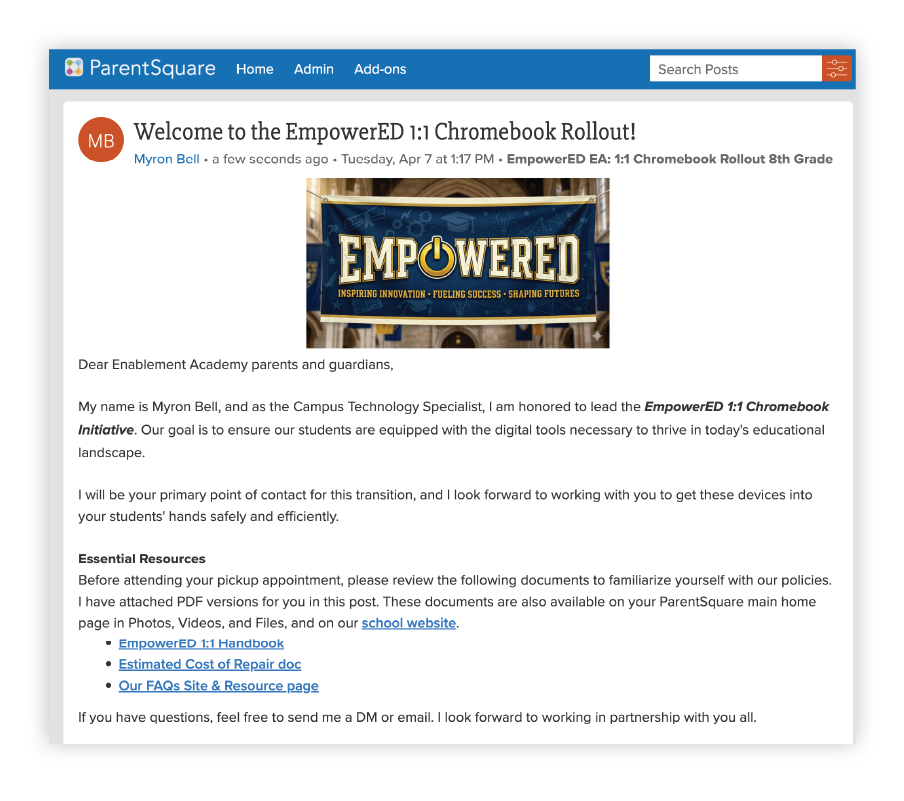
Within this group, you can pin a welcome post with essential information such as:
- The device handbook
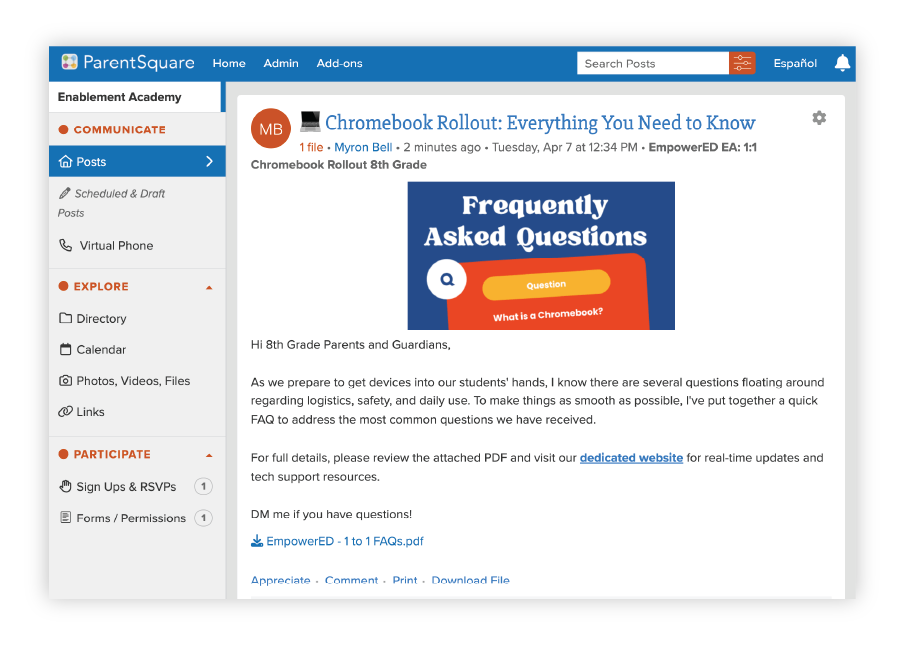
- FAQs
- Estimated repair costs
- Links to your school website’s resource page.
Families can come back to this post anytime, rather than digging through their inbox.
You can also pin a form at the top of the group that gives families an easy way to submit questions, report issues, or request information. This keeps communication two-way and gives your tech team visibility into what families need.
Tip: Promote the group in your school newsletter and share a QR code at back-to-school events or distribution days so families can join on the spot.
Reinforce expectations throughout the year
One of the biggest challenges after the initial rollout is helping families understand expectations throughout the year. Families receive a lot of information at the start of the year, and it can be difficult to absorb everything at once.
The most successful districts reinforce expectations throughout the year with simple, clear communication. Short reminders about device care, responsible use, and what to expect if something happens to a device go a long way toward building confidence and reducing support requests.
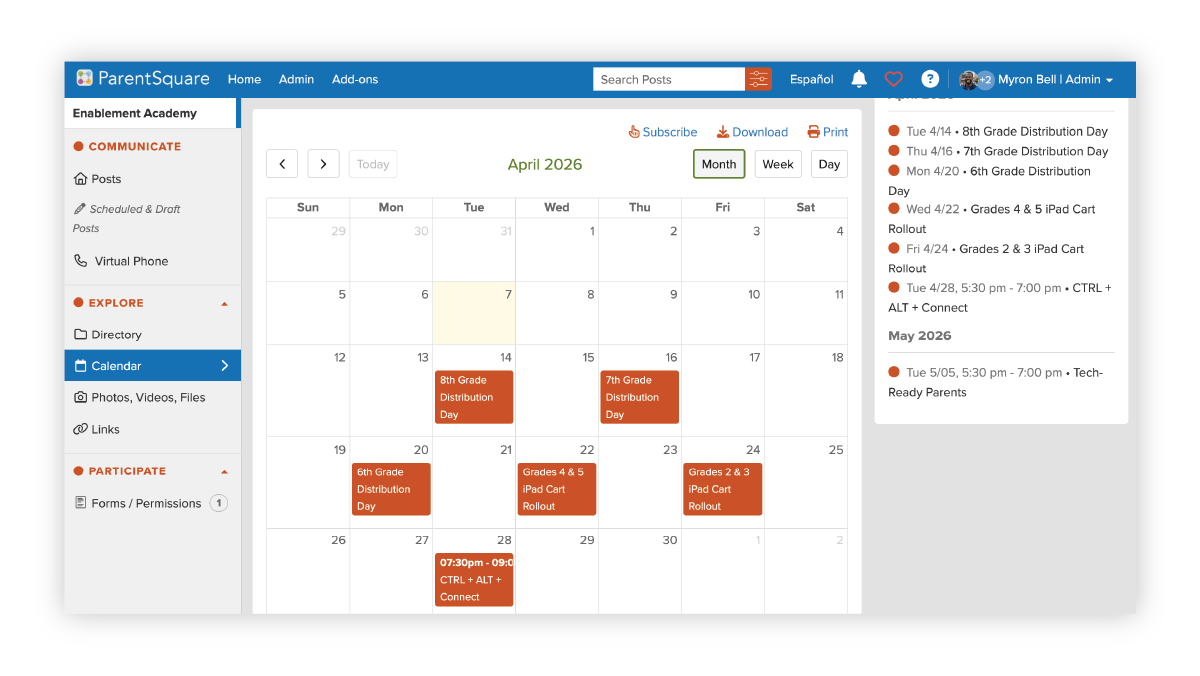
Use posts within your grade-level groups to share updates that are relevant to each stage of the rollout. For example, an 8th-grade group might get distribution logistics while a 6th-grade group receives information about upcoming rollout timelines. This kind of targeted communication keeps messages relevant and reduces noise for families.
Tip: Schedule posts in advance so reminders go out at consistent intervals. Calendar entries for important dates (distribution days, device care reminders, tech nights) keep families and staff aligned.
2. Structured family support
When a device breaks or something goes wrong, families need a clear and simple path to support. If they do not know where to go, they either do nothing (and the student goes without a device) or they call the front office, putting additional responsibility on school staff.
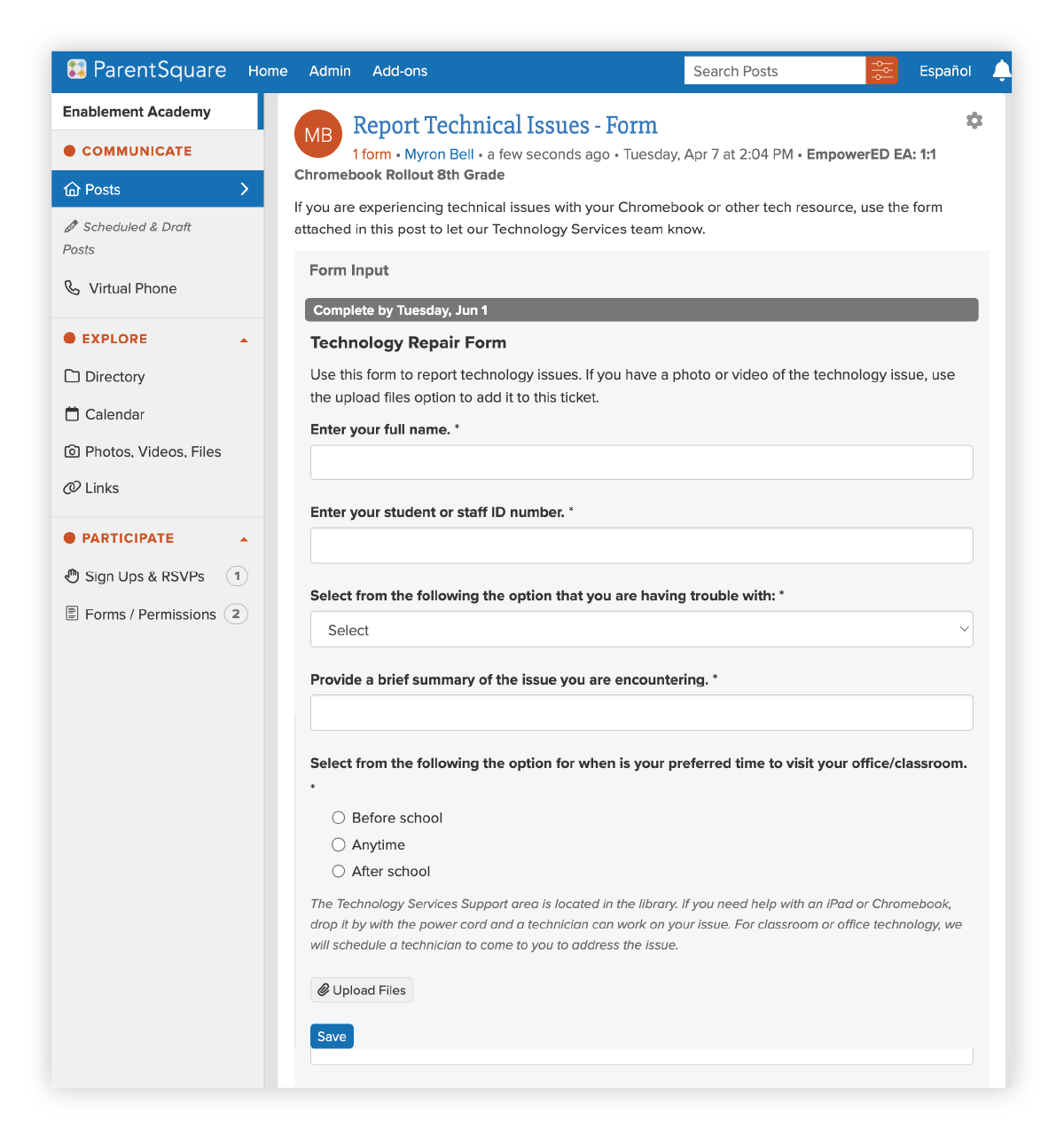
A dedicated form for reporting technical issues streamlines this process. Families can describe the problem, identify the device, and select a preferred time for support, all without a phone call. Your tech team receives the submission and can triage accordingly.
You can also use a post within the group to clarify who families should contact with specific types of questions to help reduce confusion and route requests to the right person from the start.
3. Clear financial processes
Insurance fees, repair costs, and device buyouts are some of the most operationally complex parts of a 1:1 program. When the payment process is unclear or difficult, families delay payment and staff spend time chasing down fees.
Collect payments alongside communication
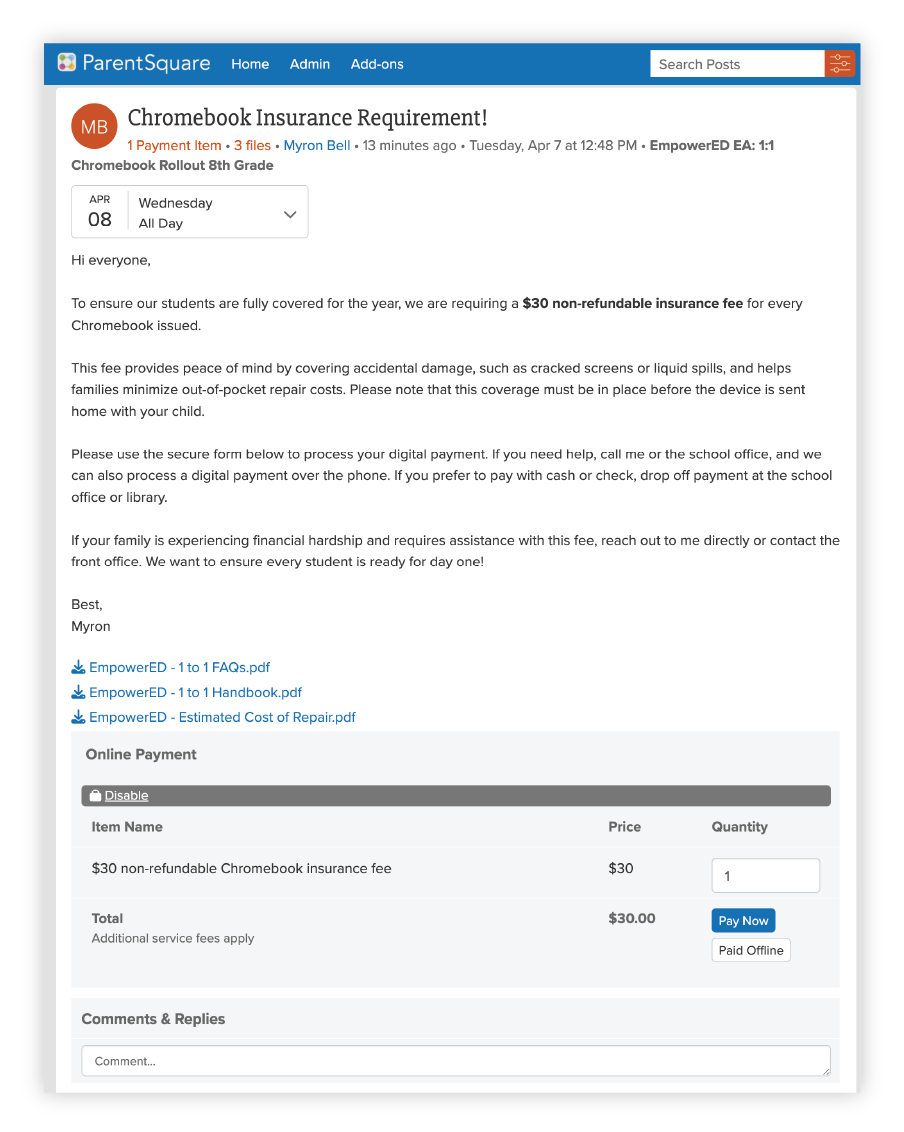
ParentSquare Pay lets you attach a payment directly to a post, so families can read about the insurance requirement and pay in the same place. No separate system and no checks or cash to track down.
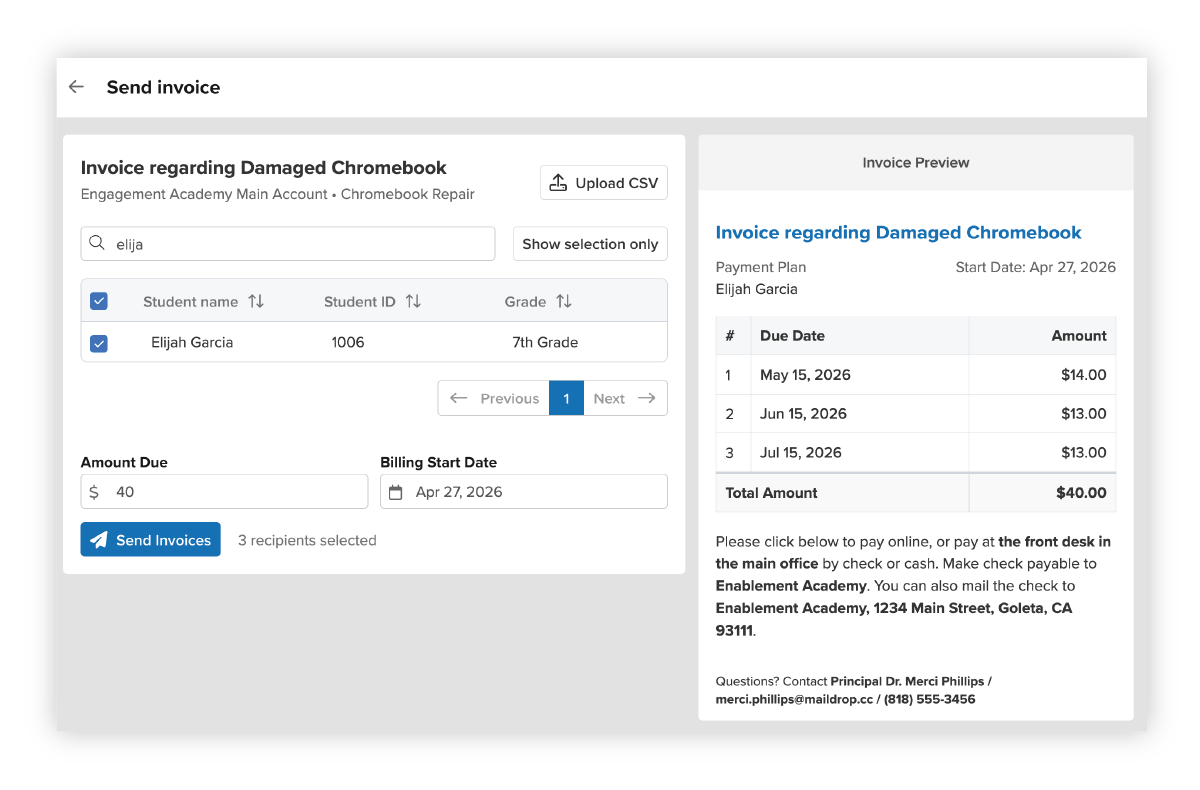
For repairs and device damage, invoices with installment plans make costs more manageable for families. Staff can search for a student, set the amount, and send an invoice with a payment schedule, all from within ParentSquare.
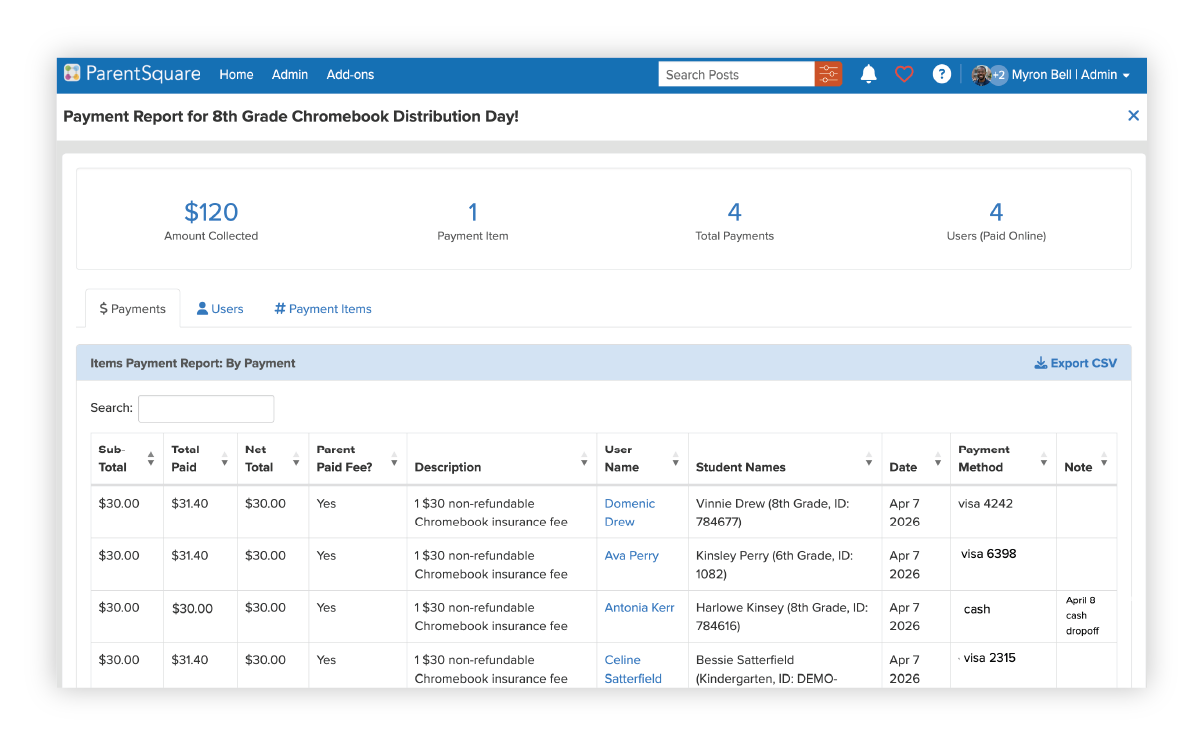
District administrators can track all payments in one place, with reports showing who has paid, the payment method, and the total collected. This eliminates the need for spreadsheets and manual reconciliation.
Collect agreements and policy signatures digitally
Before a device goes home, most districts require families to sign a use agreement or insurance policy. Paper forms are easy to lose and hard to track at scale.
With Secure Document Delivery, you can send device agreements and policy acknowledgments digitally. Families receive the document, review the terms, and sign from their phone or computer. Staff can see at a glance who has signed and follow up with those who have not.
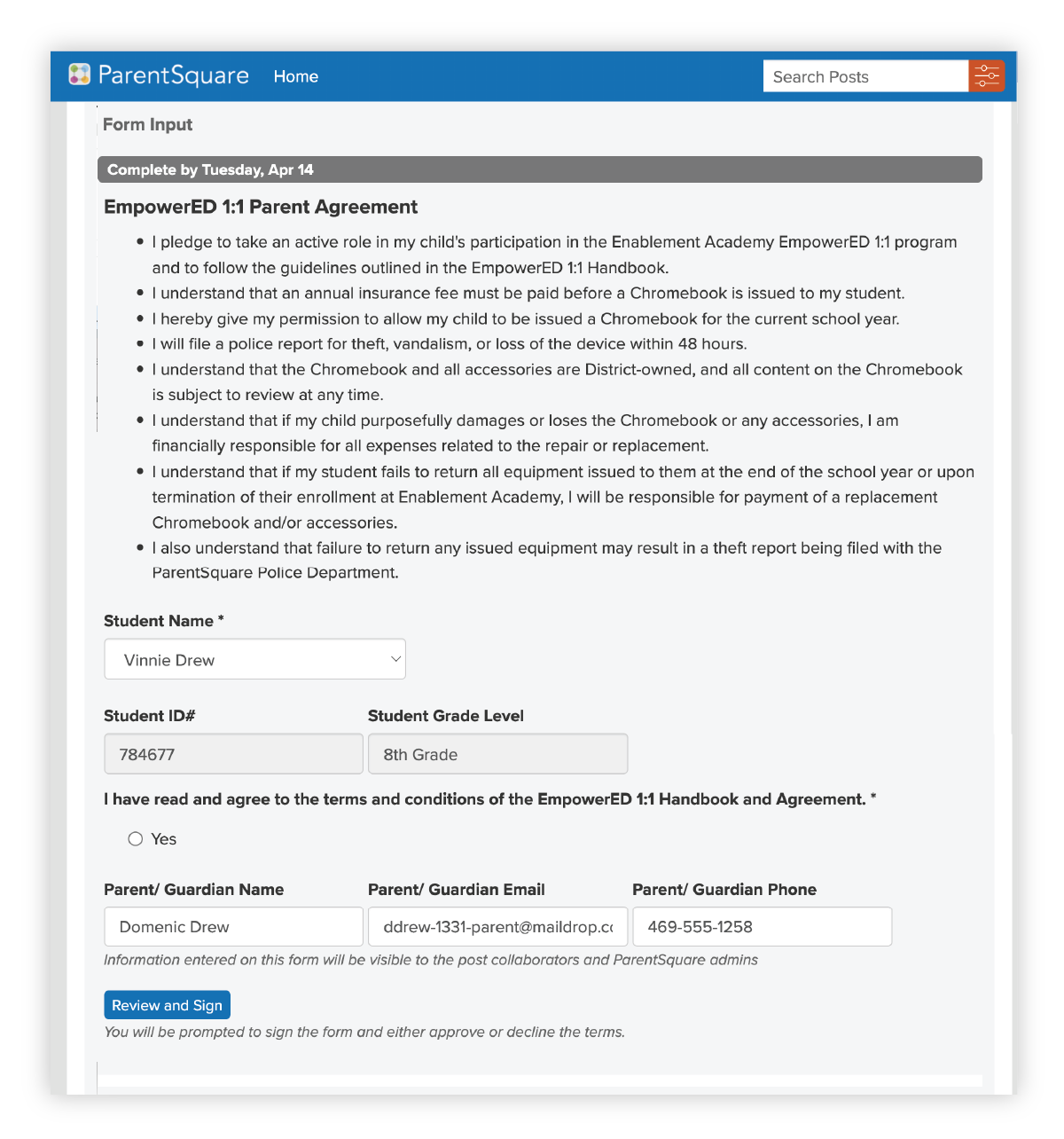
This can be attached directly to your distribution day post alongside the payment form and appointment signup, so families can complete everything in one place.
Coming soon: Secure Document Delivery with e-signature
Families can review and sign from any device
4. Communication that reaches everyone
A 1:1 device program touches every family in your district. That includes families who speak languages other than English, families without reliable internet access, and families who may not be comfortable navigating digital systems.
Reach every family, in their home language
ParentSquare’s automatic two-way translation into 190+ languages allows families to receive information in the language they are most comfortable with. Messages can be delivered by app, email, text, or voice, to reach families by their preferred method.
This is especially important for device programs, where critical information such as insurance requirements, distribution schedules, and repair processes need to reach everyone. When families miss a message, it can mean a student starts the year without a device or a family receives an unexpected bill.
Align stakeholders across departments
A 1:1 device program involves IT, communications, school sites, and finance. When these teams are working in separate systems, information can get siloed and processes break down.
ParentSquare brings all of these workflows together in one platform. IT can manage groups and forms, communications can draft and schedule announcements, school sites can handle distribution logistics, and finance can track payments and invoices—and all of it is visible and coordinated.
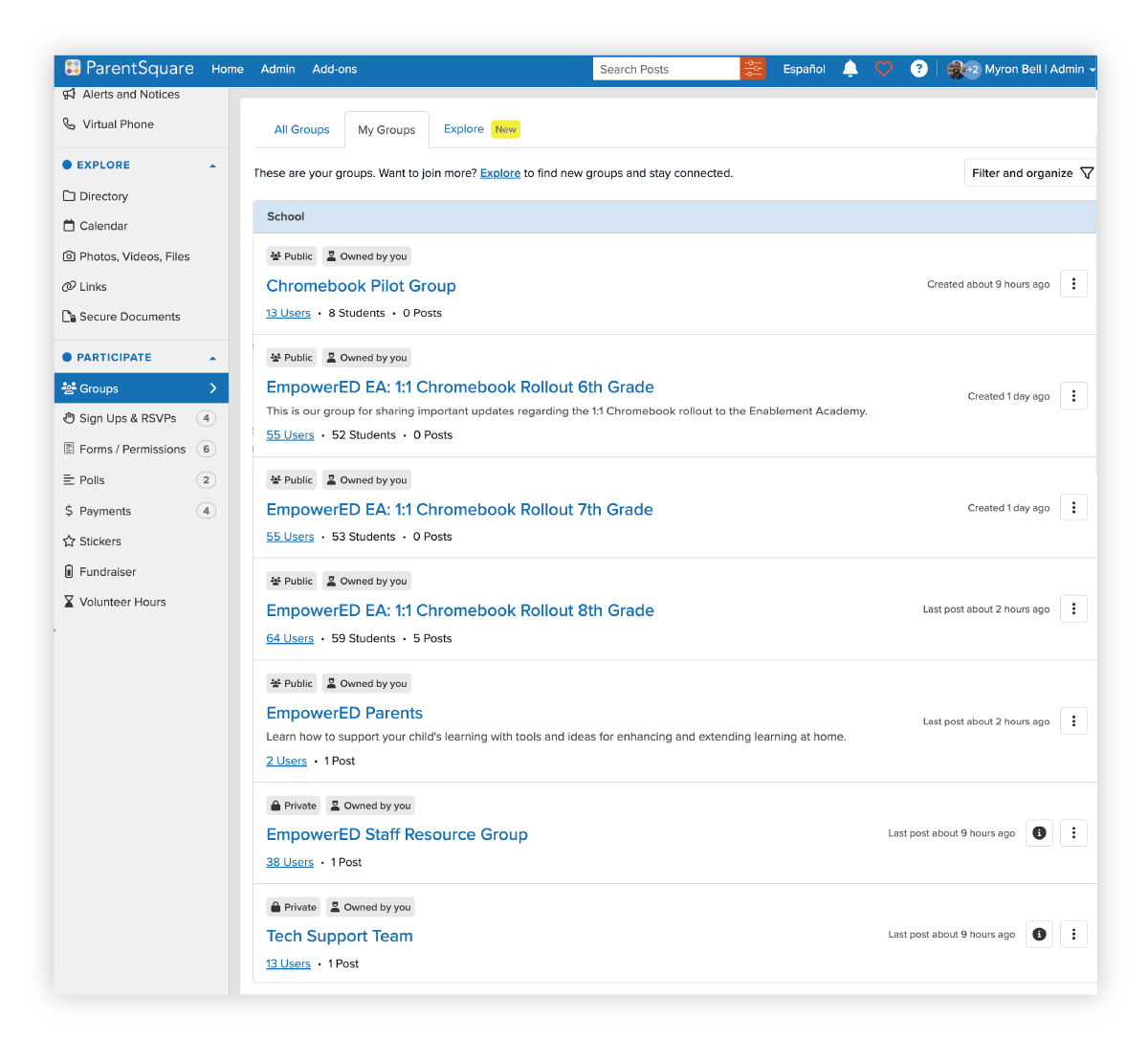
Tip: Private groups for staff such as a Tech Support Team or Staff Resource Group give internal teams a space to coordinate without cluttering the parent-facing experience.
5. Streamlined operations
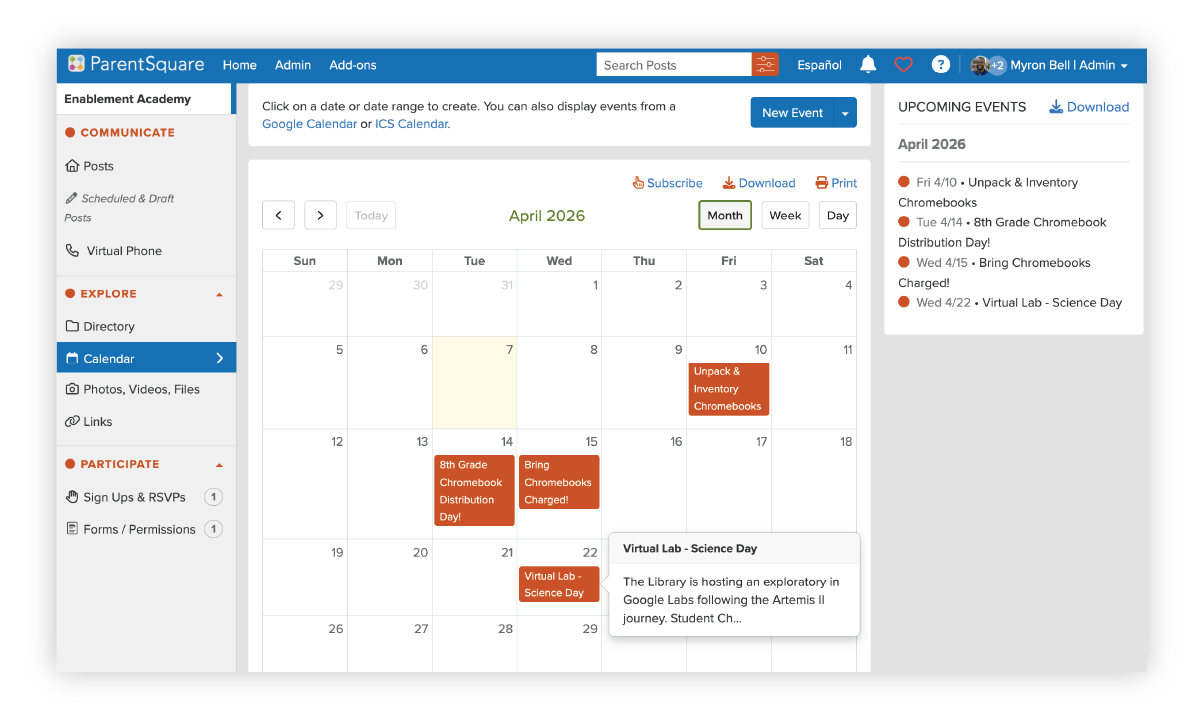
Device distribution logistics can be chaotic, especially across multiple grade levels. Appointment Sign Ups let families select a pickup time that works for their schedule, with a set number of slots per session. Staff can see who has signed up, manage capacity, and plan accordingly.
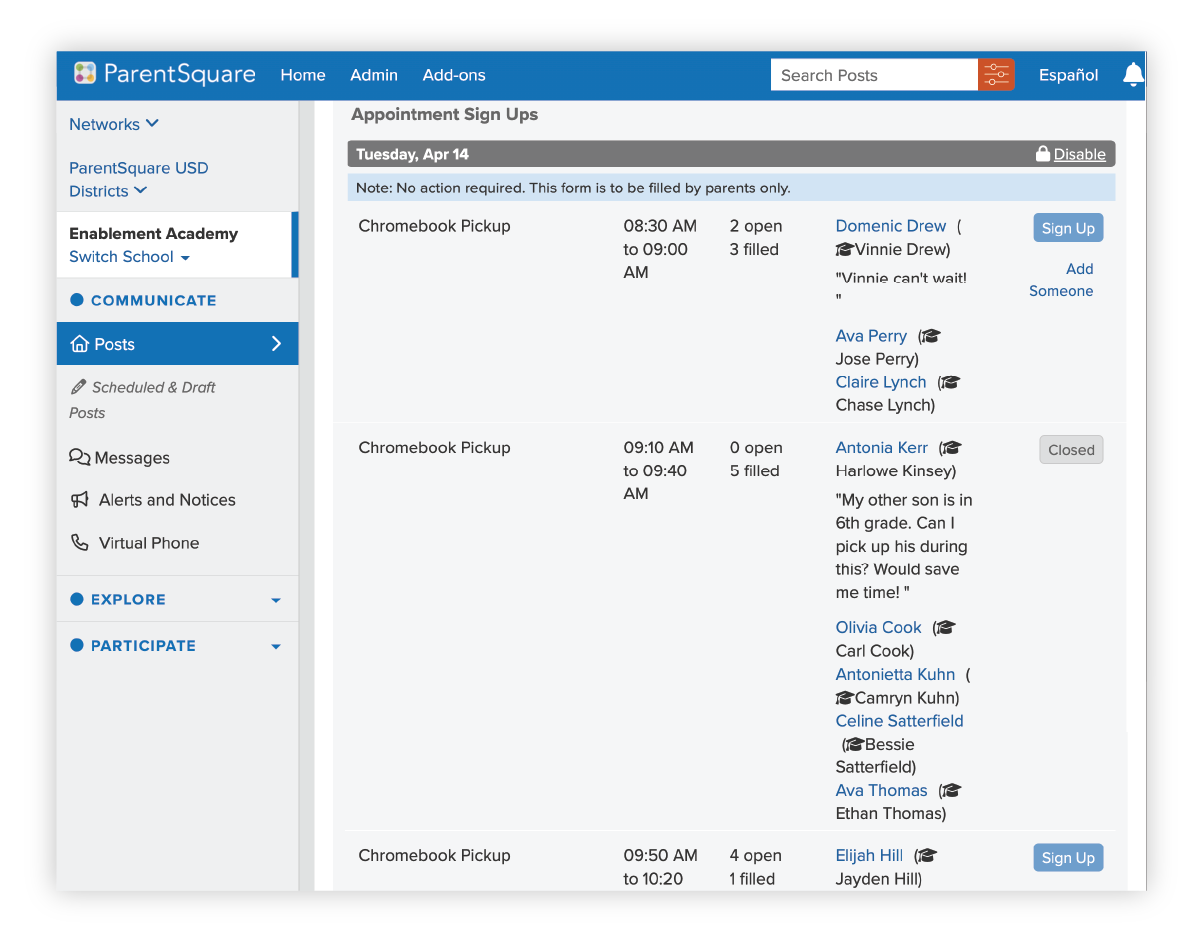
Pairing this with calendar events gives families a clear view of when their grade level’s distribution is happening, along with any follow-up dates like “Bring Chromebooks Charged!” reminders.
Why this approach works
Sustaining a 1:1 device program comes down to connecting communication, payments, and workflows so that families, students, and staff all have what they need.
Districts that take this approach see reduced operational burden on IT and school staff, improved family engagement and response rates, consistency across schools and departments, and device programs that are more predictable and sustainable over time.
The goal is not just to distribute devices, it’s to build connections with families by making the experience clear, accessible, and easy to navigate, from the first rollout through every year that follows.
Built on ParentSquare
ParentSquare brings communication, workflows, and payments together so districts can support 1:1 programs without adding complexity. To see how it works for your district, request a demo.